WooCommerce Automatic Category Tables Plugin

£29.00

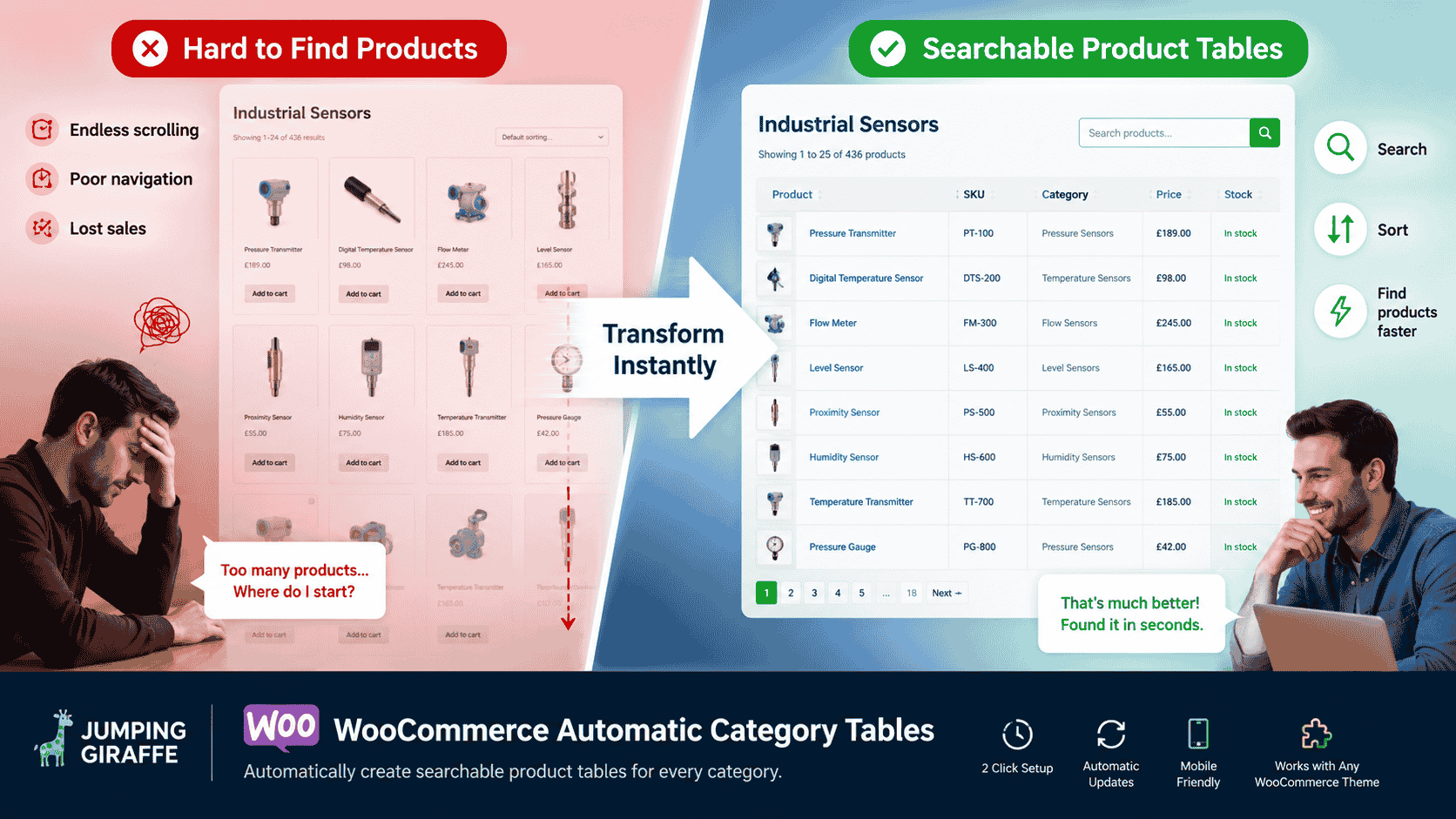
Create tables for each category page automatically listing sub-categories or products within the category

Category:

Description

We have designed this plugin to be so easy and quick it actually takes longer to read this paragraph than it does to create site-wide category tables.

So, what does this plugin do?

It has two main jobs:

  1. Add a table to the top of every category page listing all sub-categories in 2 clicks.
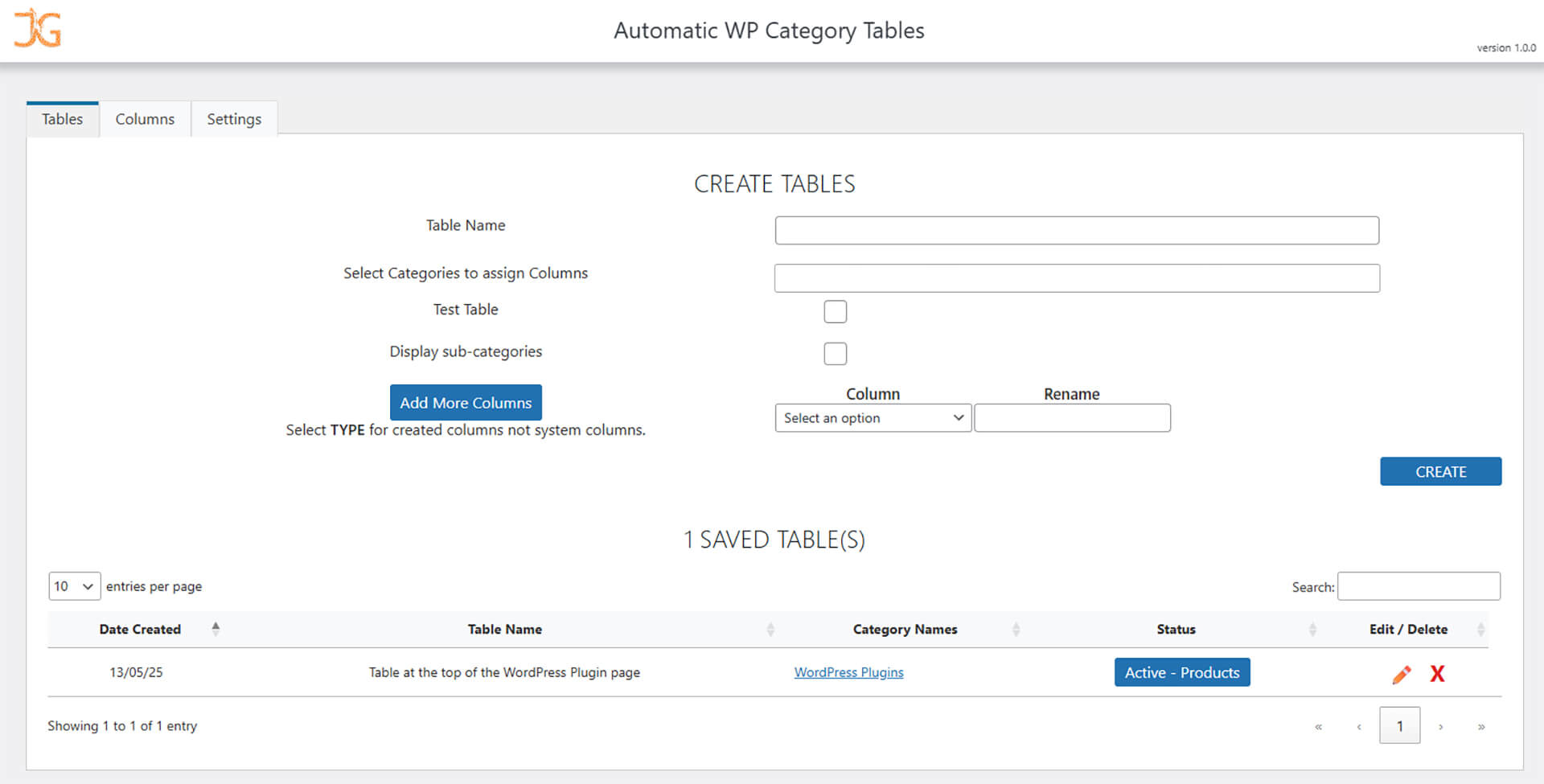
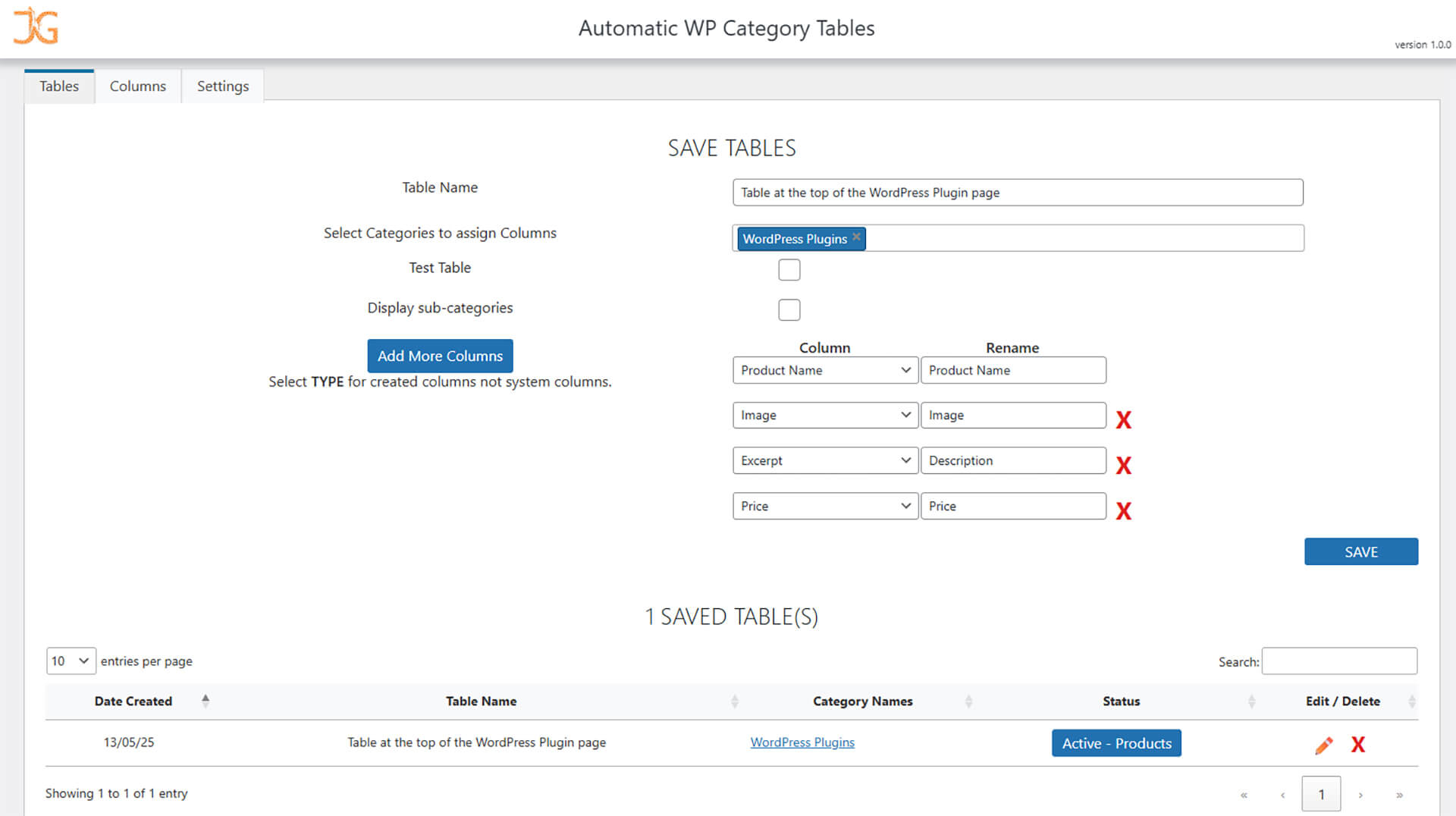
  2. Add your own individual table to any category table with any column.

Two jobs are performed from one plugin, which is designed extremely well.

Sometimes it is easier to see it in action, here it is on one of our lovely customers: Telonic Instruments


Functions

  • Searchable tables
  • Sortable columns
  • Custom Columns to add your own content to the tables
  • Automatically links to products or sub-categories
  • Device responsive with thumb scrolling mobile versions
  • Easy cosmetic configuring, allowing you to quickly add CSS
  • Choose the number of rows to initially display per table
  • Test option per table, so you can work on the table before making LIVE
  • Pin the products or sub-categories you would like to always be at the top
  • Exclude any products or sub-categories from the table
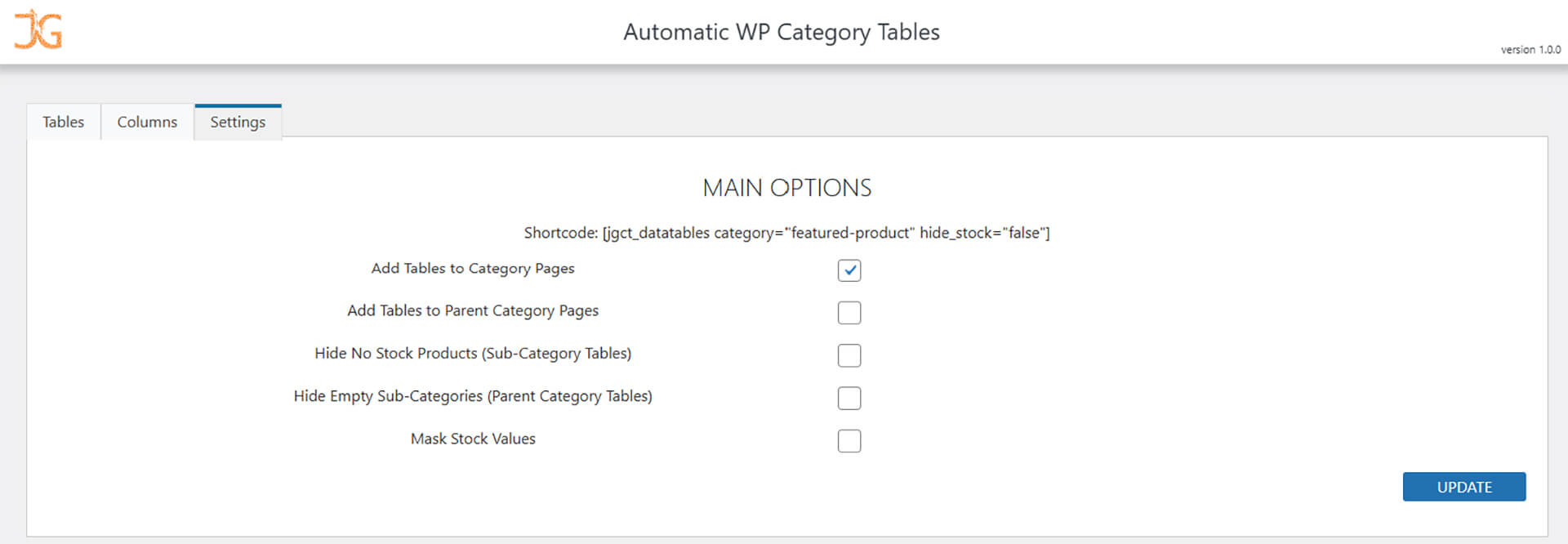
  • Option to hide “No Stock” products
  • Option to hide empty sub-categories
  • Mask stock levels so your competitors won’t know your stock level
  • …and much more


Special Columns

Built into the plugin, we have some very useful column options, including:

  • Price from
    Automatically include a “Buy Now” button in the cell of the table to purchase the lowest priced product in the sub-category.
  • Image
    The images displayed to represent the sub-category will automatically select the image of the most expensive product.


  1. Download the ZIP file from JumpingGiraffe.com to your device.

  2. From your plugin page within your WordPress dashboard click the Add New Plugin button, this should take you to the Add Plugins page (https://youDomain.com/wp-admin/plugin-install.php).

  3. Click the Upload Plugin button and select your downloaded file after clicking Choose File.

  4. Click Install Now to install the plugin. Don't forget to Activate the plugin afterwards and you are good to go!

Q: What does the WooCommerce Automatic Category Tables plugin do?
A: This plugin automatically adds a searchable, sortable table of sub-categories (or products) at the top of category pages with just a couple of clicks. You can also create your own custom tables with any columns you want for specific category displays.

Q: Do I need to manually update the tables when I add new products?
A: No. Once set up, the plugin automatically includes new products or sub-categories in the relevant tables based on your selected settings.

Q: Can I customize which columns appear in the category tables?
A: Yes. You can add your own custom columns to display additional information such as price, image, stock status, or other product data.

Q: Are the tables responsive on mobile devices?
A: Yes. The category tables are device responsive and include thumb-scrolling for mobile displays.

Q: Can I control the display order of products or sub-categories?
A: Yes. The plugin allows sorting and you can pin specific products or sub-categories to always appear at the top of the table.
Jumping Giraffe

Q: Can I exclude certain products or categories from showing in the table?
A: Yes. There are options to exclude specific products or sub-categories from the tables if you don’t want them displayed.

Q: Is there a way to hide out-of-stock products?
A: Yes. You can choose to hide “No Stock” products from the tables to keep them clean and relevant for shoppers.

Q: Can I test changes to a table before making them live?
A: Yes. Each table has a test mode, so you can configure and preview changes without affecting the live site immediately.

Q: Does the plugin automatically link table entries to the right pages?
A: Yes. Product and sub-category links are automatically generated so users can click directly to view details.

Q: What special column types are included?
A: Special built-in columns include “Price From” (which can include a Buy Now button) and “Image” (which displays a representative product image automatically).

Q: Can I add custom CSS to style my tables?
A: Yes. You can easily add your own CSS to style the tables to match your site’s look and feel.

Q: Can I get a refund is I am not happy with the plugin?
A: Yes, of course. Your purchase is covered by our no-risk 30 day money back guarantee.
If for any reason you're not completely happy with the plugin, you're entitled to a full refund up to 30 days from your original purchase. No questions asked.
v1.6.0 - 27/10/2025
New Option to Exclude products or sub-categories.

v1.5.0 - 22/10/2025
Improvements to sorting "price" columns.
New Default sorting for new Tables.
Custom field in Product & Category Edit pages changed to larger fields. This allows better formatting options for custom columns.
Cosmetic changes for the public-side.

v1.4.0 - 13/10/2025
Performance improvements.
Added "Grab and Hold" functionallity for tables wider than the window.
Cosmetic improvements.

v1.3.0 - 24/09/2025
Added option to select the number of rows to display on each table.
Added new "Order" option to select the default table order.
Added option to "Pin" products or sub-categories to the top of the tables.
Added option to select the amount of rows per table to be displayed.

v1.2.1 - 14/07/2025
The Image column will now display the most expensive product within the sub-category.
Added a new system column include a call-to-action button within the cell of the table to purchase the cheapest product within the sub-category.

v1.2.0 - 03/07/2025
Added Clickable Custom Columns.
Performance improvements.

v1.1.0 - 27/05/2025
Added Stock messages to columns cell.
Extra verification added.

v1.0.0 - 08/05/2025
Added brand new Admin pages.
Legacy files added.
Added better onboarding.
Moved "Test Table" option from main tab to individual tables.
Code clean up.

WooCommerce Automatic Category Tables Plugin Roadmap